A workspace designed for designers.
Queue. Create. Approve. Archive. Repeat.
Your own prioritized queue, file versioning, revision tracking, and a client approval flow that doesn't involve a single email. Focus on the creative work — ShopFlow OS handles the workflow.
The design workflow
Request lands
Admin creates a design request from the project. It enters the queue with specs, reference files, and priority.
You pick it up
Assign yourself and move it to In Progress. Upload renderings, source files, and notes as you work.
Admin reviews
Move to Admin Review. They check your work and either approve or send it back with feedback.
Client approves
The rendering goes to the client portal. They approve or request changes with one click.
Done
Approved designs get archived. The project moves to production with the rendering locked in.
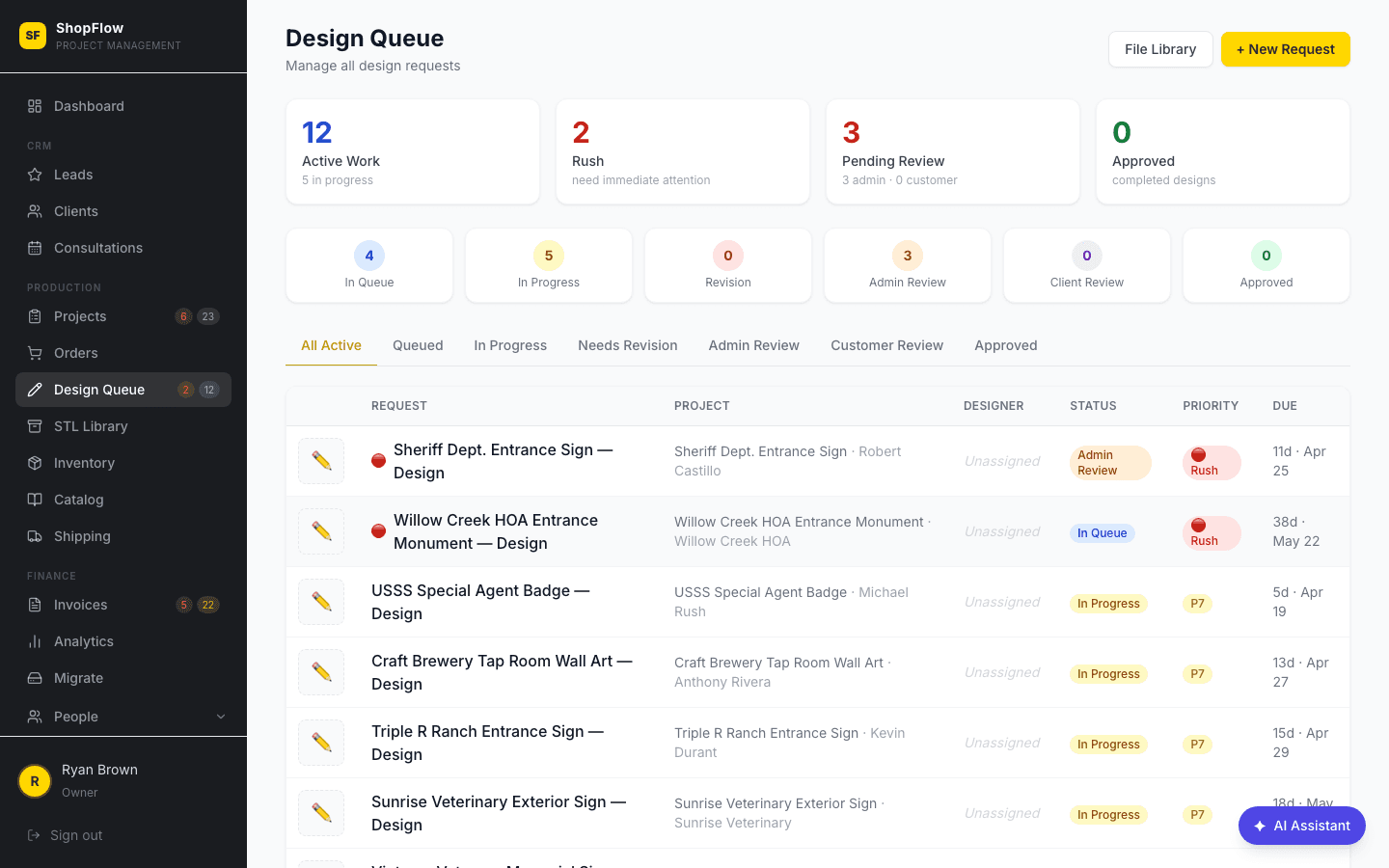
Prioritized Design Queue
Every design request in one place, ranked by priority and urgency. Status tabs let you see what's queued, in progress, waiting on admin review, or out for client approval — so you always know what to work on next.
- ✓Status tabs: Queued, In Progress, Admin Review, Client Review, Approved
- ✓Priority scoring (1–10) and urgency flags
- ✓Filter by designer assignment
- ✓Linked to the production kanban (status badges show on project cards)
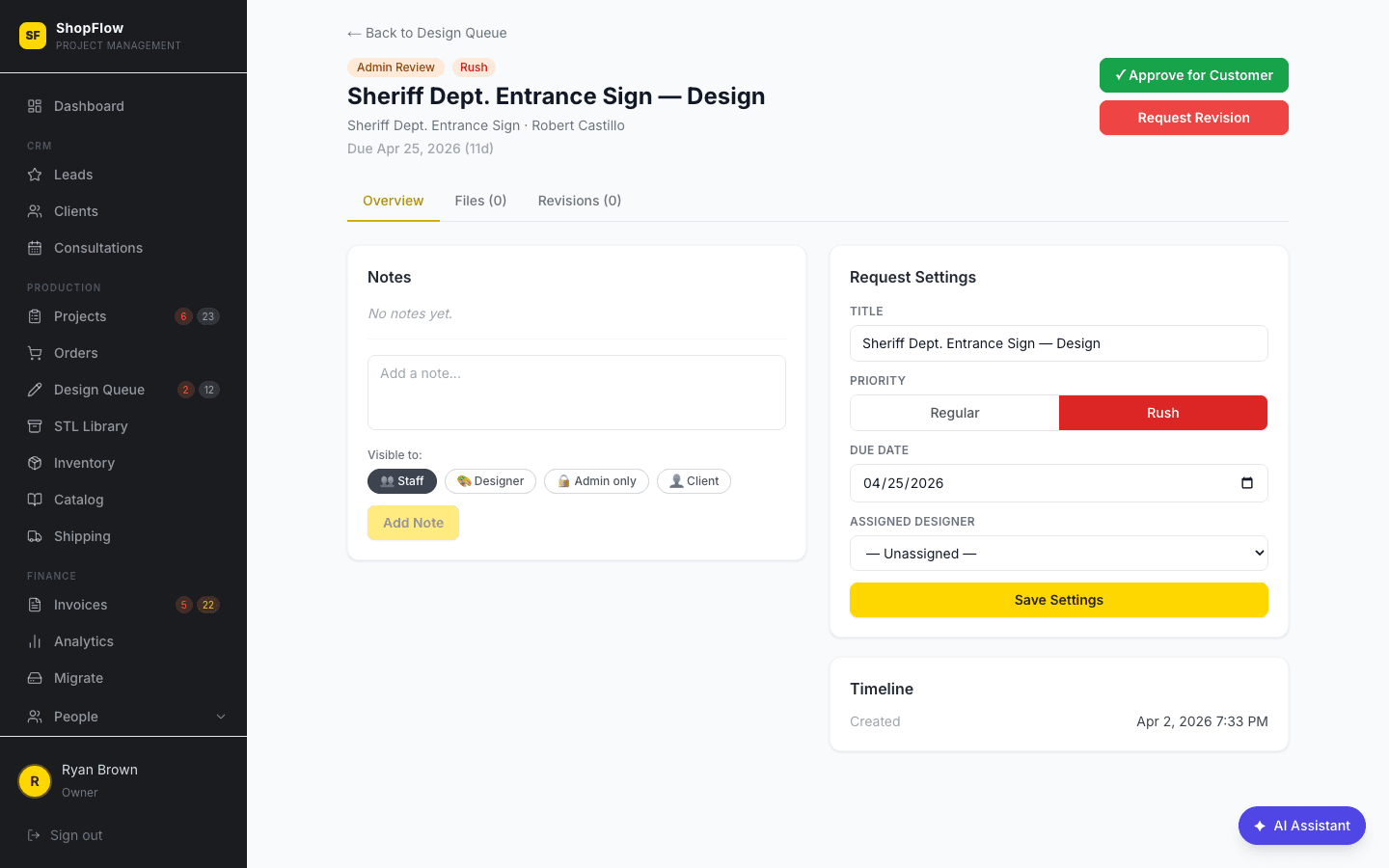
Design Detail Workspace
Open any design request to see the full brief — project specs, client notes, reference photos, and the complete revision history. Upload renderings, track round numbers, and add designer notes that only the admin sees.
- ✓Full project specs inline (material, size, finish, mounting)
- ✓File versioning: reference images, renderings, source files
- ✓Revision round tracking with timestamps
- ✓Private designer notes (admin-visible only)
Client Approval Flow
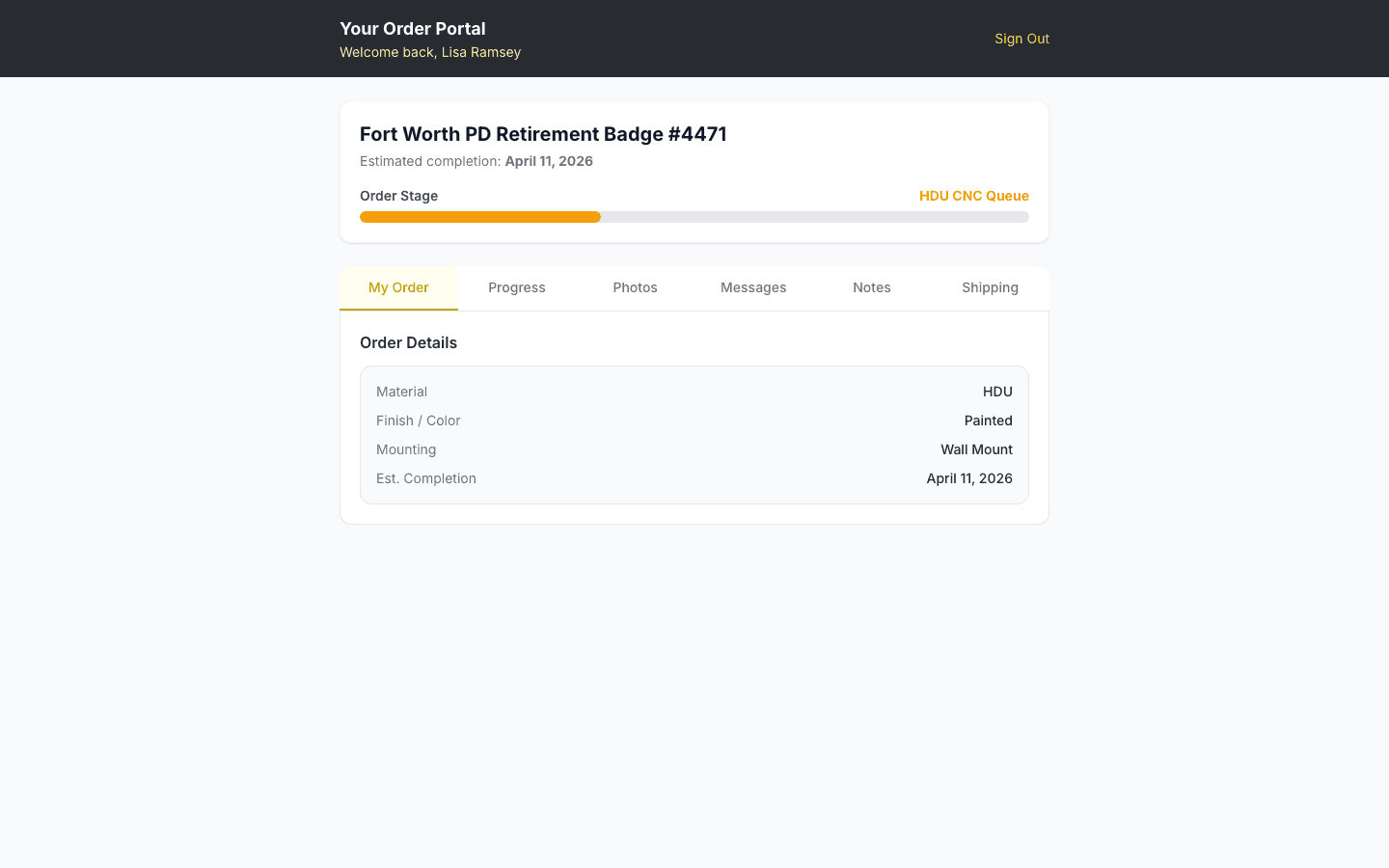
When a rendering is ready, the client sees it in their portal and approves or requests changes — no email chains. You see the status update live on your design card. Approved designs get a green checkmark and the project moves forward.
- ✓Client approves or rejects from their portal (no login required)
- ✓Revision requests come back with client notes
- ✓Approval status visible on the kanban card
- ✓Automatic notification when client responds
Design Library & Archive
Completed designs are archived with state/jurisdiction tagging, so you can find past work for reference. Google Drive folder matching links your file storage to ShopFlow OS automatically.
- ✓Searchable archive of all completed designs
- ✓State and jurisdiction tagging (for government badges, plaques)
- ✓Google Drive folder auto-linking
- ✓Reference past designs when quoting similar projects
File Management Hub
A centralized file browser for all design files across projects. Upload renderings, reference images, and source files. Tag files by type and see what's been shared with the client vs. kept internal.
- ✓Centralized file view across all design requests
- ✓File type tagging (reference, rendering, source)
- ✓Client visibility controls per file
- ✓Bulk upload support
Be first on the shop floor.
ShopFlow OS opens up to a limited group of founding shops first. Join the waitlist to lock in early access and founding-shop pricing before we open the doors.